Everything it does
In detail, and with the reasoning — because most of these are decisions, not just features.
An editor over real Markdown
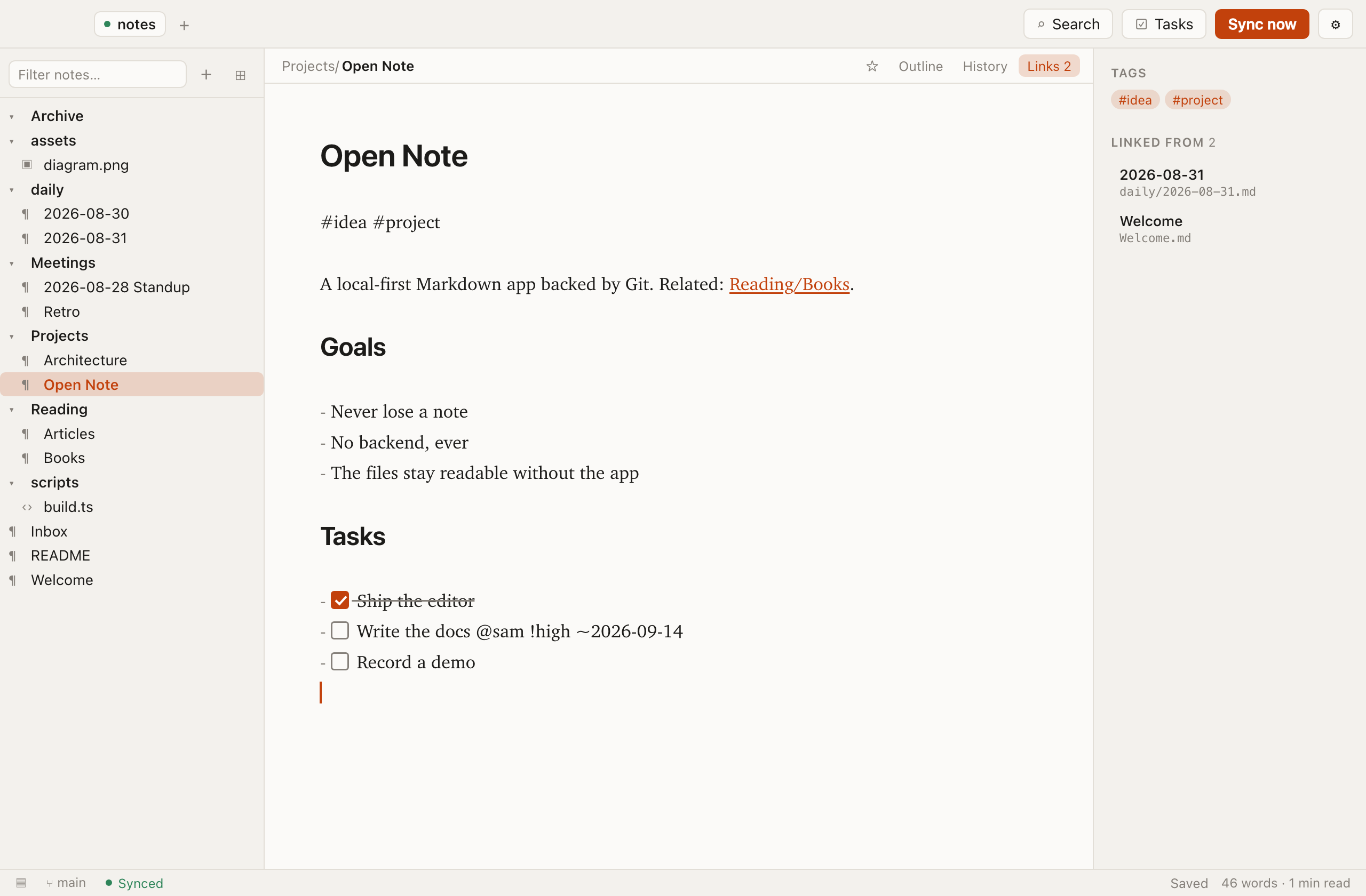
The text in the window is the file. Open Note decorates it in place — headings grow, bold goes bold, syntax markers fade — but it never converts your note into a document model and back again.
That matters for two reasons. A round-trip through a rich-text model quietly rewrites formatting it does not understand, and it turns every edit into a noisy diff. Here a one-word change is a one-word change in Git.
- The line you are on shows its source. Move the caret onto a heading and the
#comes back, ready to edit. Every other line reads as prose. - Wikilink brackets disappear while reading and return while editing.
[[note|label]]shows just the label. - Find and replace inside the open note.
- Paste an image and it is written into the vault as a real file and linked relatively — not embedded as base64.
Git sync you do not have to think about
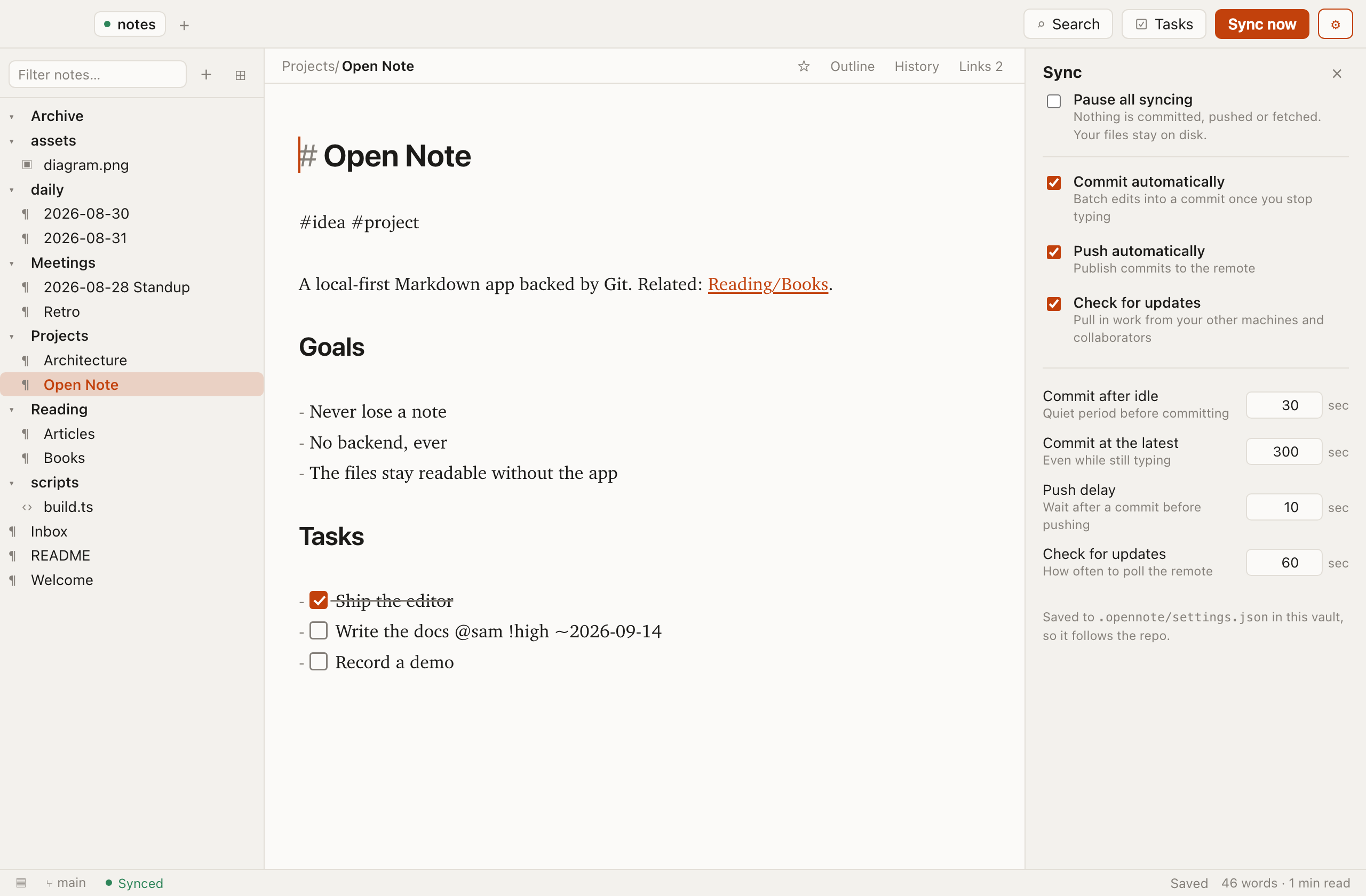
Four independent loops run per vault: write, commit, push and fetch. Each is separately configurable and separately switchable, and the current state is always on screen —synced, committing, pushing, updates available,offline, conflict.
- Writes land half a second after you stop typing.
- Commits batch up — thirty seconds idle, or five minutes elapsed — so your history is readable instead of one commit per keystroke.
- Pushes follow a commit, and back off when the network is out. Never forced.
- Fetches run on a timer while the window is focused. A clean worktree fast-forwards silently and the open note reloads underneath you.
It runs your own git rather than an embedded library, so SSH agents, credential helpers, GPG signing, corporate proxies and git-lfswork because they already work on your machine.
Conflicts are never resolved for you
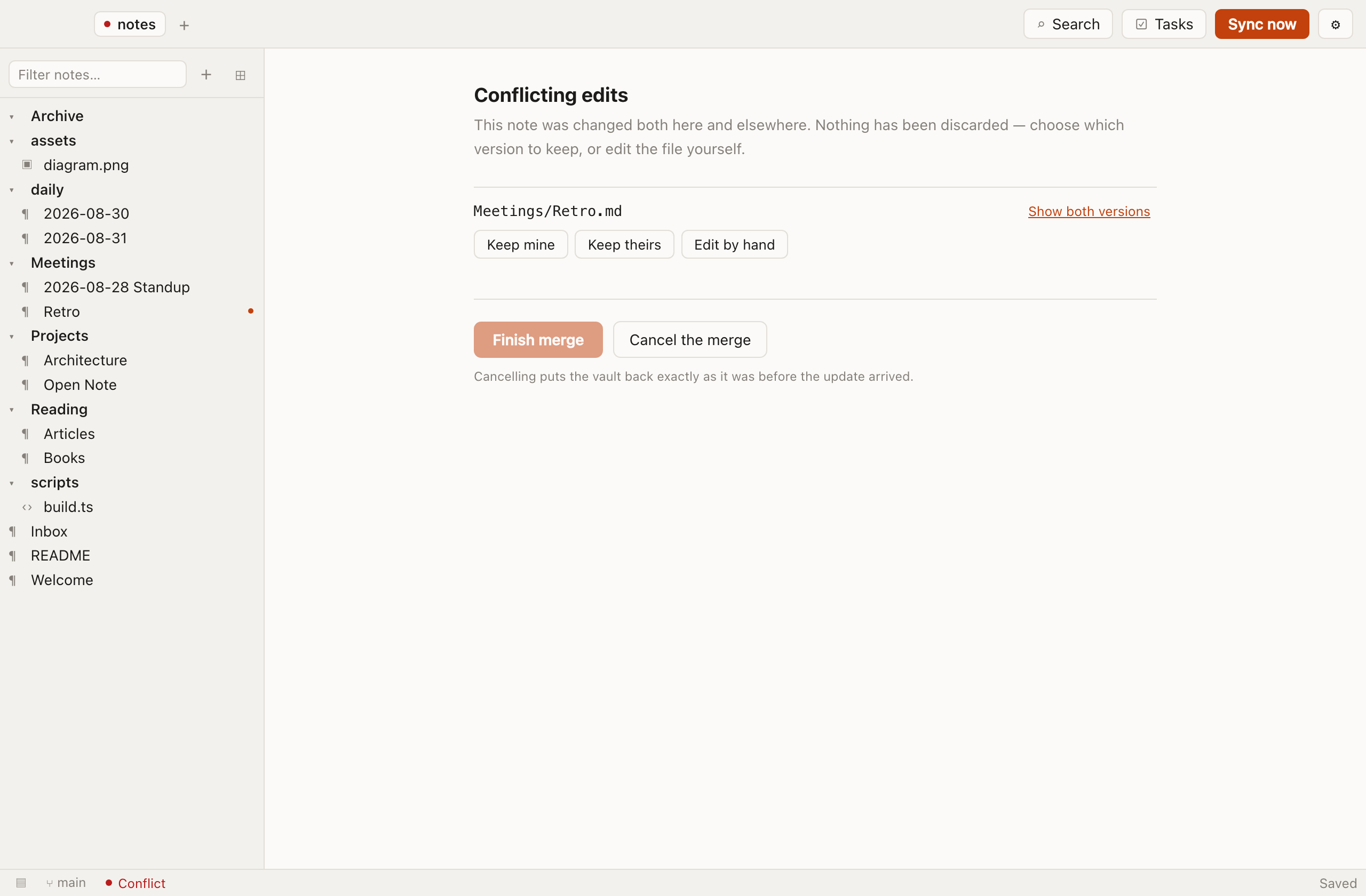
Because a note is one file, true conflicts are rare — but rare is not never, and one silently clobbered note ends any trust in a notes app permanently.
- All automation halts. Nothing commits, pushes or pulls while a conflict stands.
- The affected notes are named and badged in the sidebar.
- You choose: keep yours, keep theirs, or open the file with Git's markers intact and merge by hand.
- A claimed resolution is verified. If Git still reports unmerged paths, the app does not believe you and stays put.
There is no auto-merge, no auto-discard and no force push. Anywhere. Ever.
Links, backlinks and tags
Write [[Another note]] and it becomes clickable. Follow a link that has no note behind it yet and the note is created — writing the link is how you say it should exist.
- Backlinks for the open note, with the sentence each link sits in.
- Renaming rewrites links. Rename a note and every
[[wikilink]]pointing at it is updated in the same commit, so the change can be reviewed and reverted as one thing. - Tags are
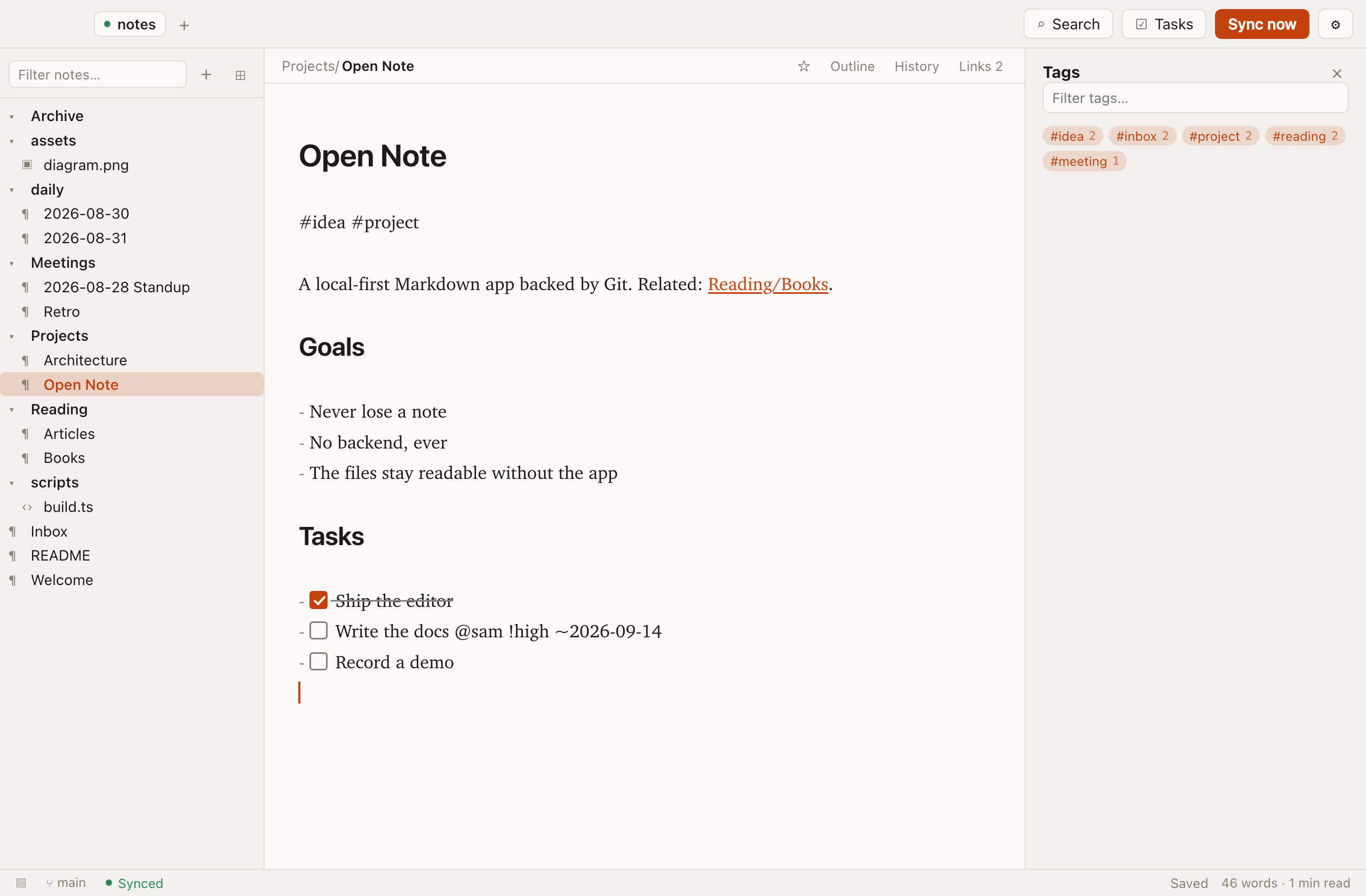
#plain-textin the note body, with a browser listing every tag and what carries it. - Drag a note into a folder and its links follow it. A move is a rename with a different destination.
Todos that are still Markdown
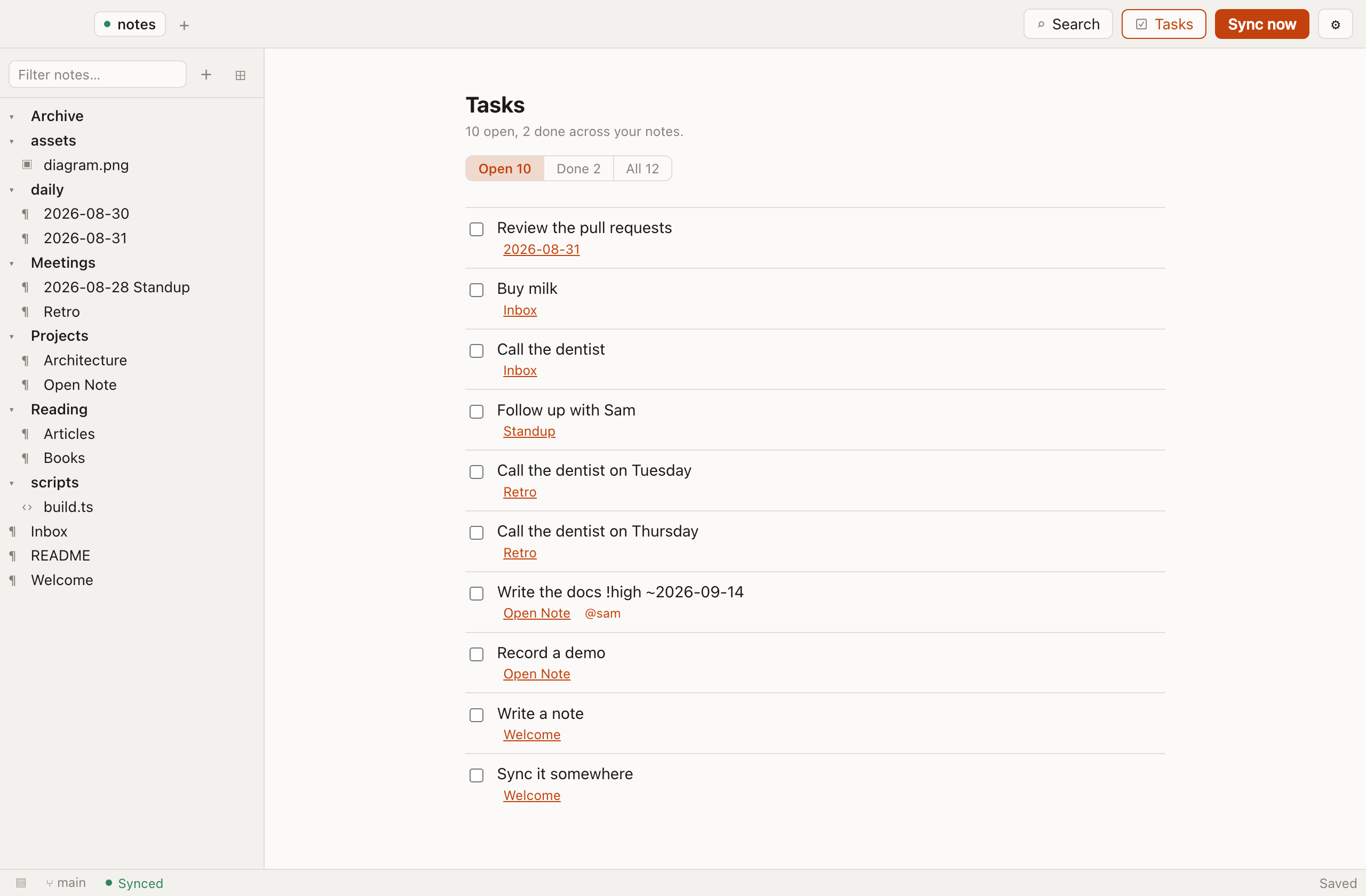
A task is a GFM checkbox. Nothing else is required, and nothing else is stored — so the same note renders as a working task list on GitHub.
- [ ] Write the docs @sam !high ~2026-09-14- Click the checkbox in the editor to tick it; one character changes on disk.
- One list for the whole vault. Every open task from every note, with the note it came from — click through and land on the exact line.
- Optional extras in plain text:
@person,!high, and~2026-09-14for a due date. Overdue and due-today are called out. - Filter by open, done or all.
Diagrams and drawings
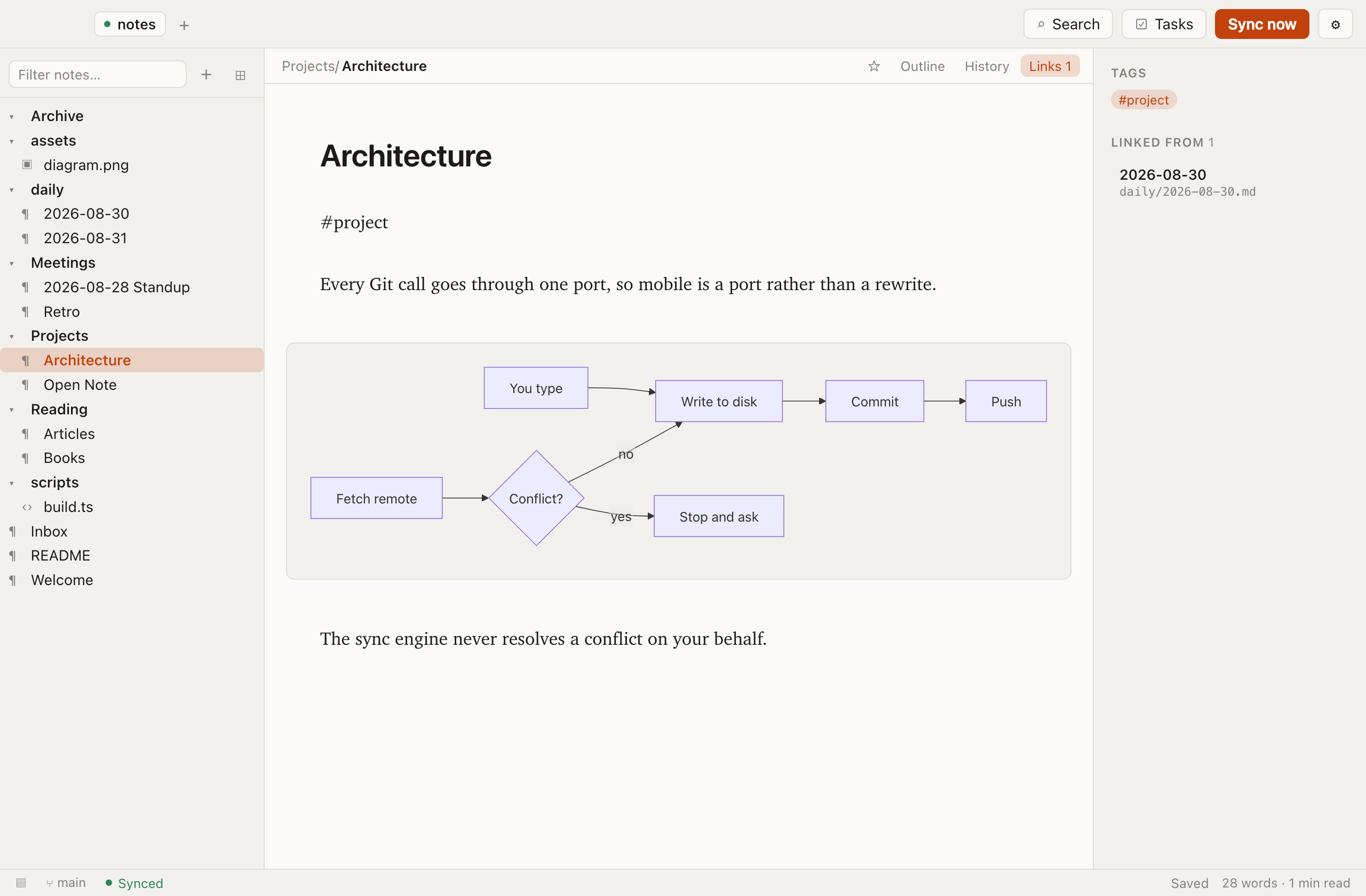
A fenced mermaid block renders inline as soon as your caret leaves it, and goes back to being editable source the moment you return.
- Mermaid renders on GitHub too, so a diagram in your vault is a diagram in your repo's web view.
- Graphviz DOT for graphs that Mermaid does not cover.
- Excalidraw for freehand drawings, stored as plain JSON so they diff and merge like anything else.
- Rendered SVG is sanitised — scripts, event handlers and
javascript:URLs are stripped before anything reaches the screen. A vault can be cloned from anywhere.
History, branches and pull requests
The whole point of a Git backend is that the history is real. Open Note surfaces it without asking you to open a terminal.
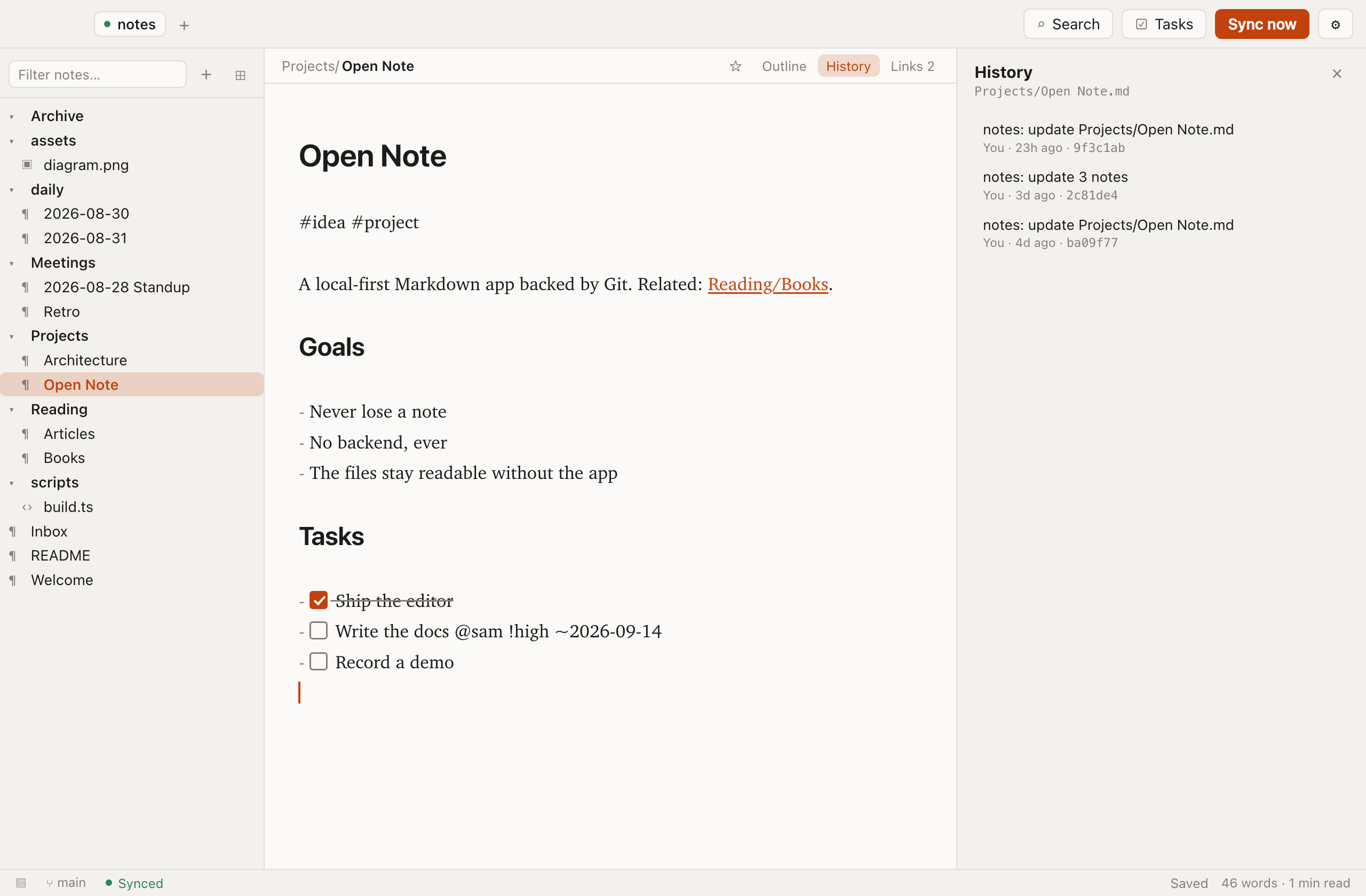
- Every version of a note, with the diff, and a one-click restore to any of them.
- Discard changes back to the last commit when an edit goes wrong.
- Branches — create, switch, merge and delete. Draft a reorganisation on a branch and merge it when it works.
- Open a pull request on GitHub, GitLab or Bitbucket for the current branch, in your real browser where you are already signed in.
Finding things
- Full-text search across every note, with the matching line as the preview.
- Quick switcher that fuzzy-matches titles and opens on Enter — and offers to create the note when nothing matches.
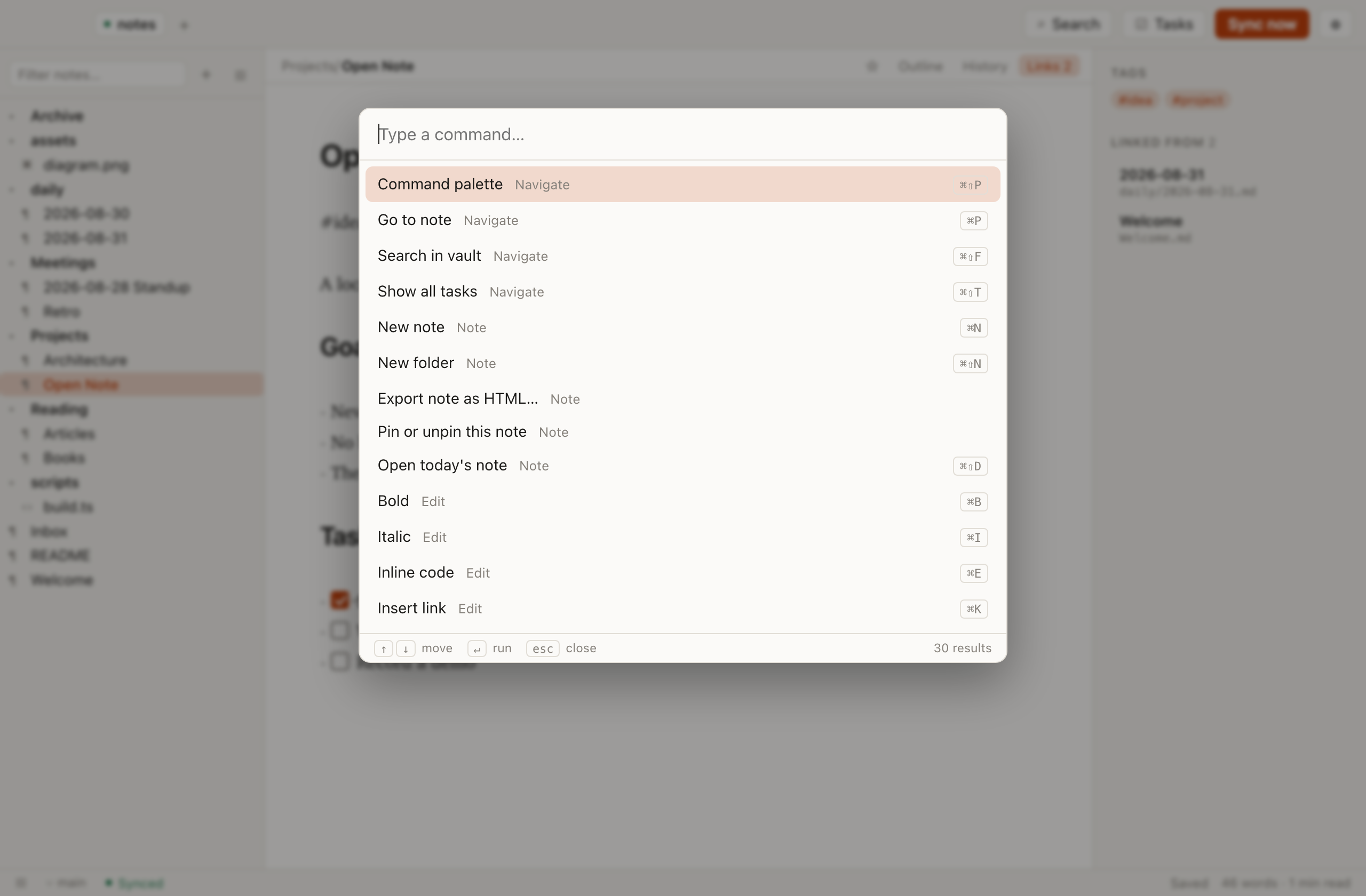
- Command palette listing every command with its current shortcut.
- Sidebar filter, pinned notes, and an outline of the open note's headings.
- Today's note on a shortcut, from a template, filed by date.
The rest of the repository
A vault is an ordinary Git repo, so it holds more than notes — and the app stops pretending otherwise.
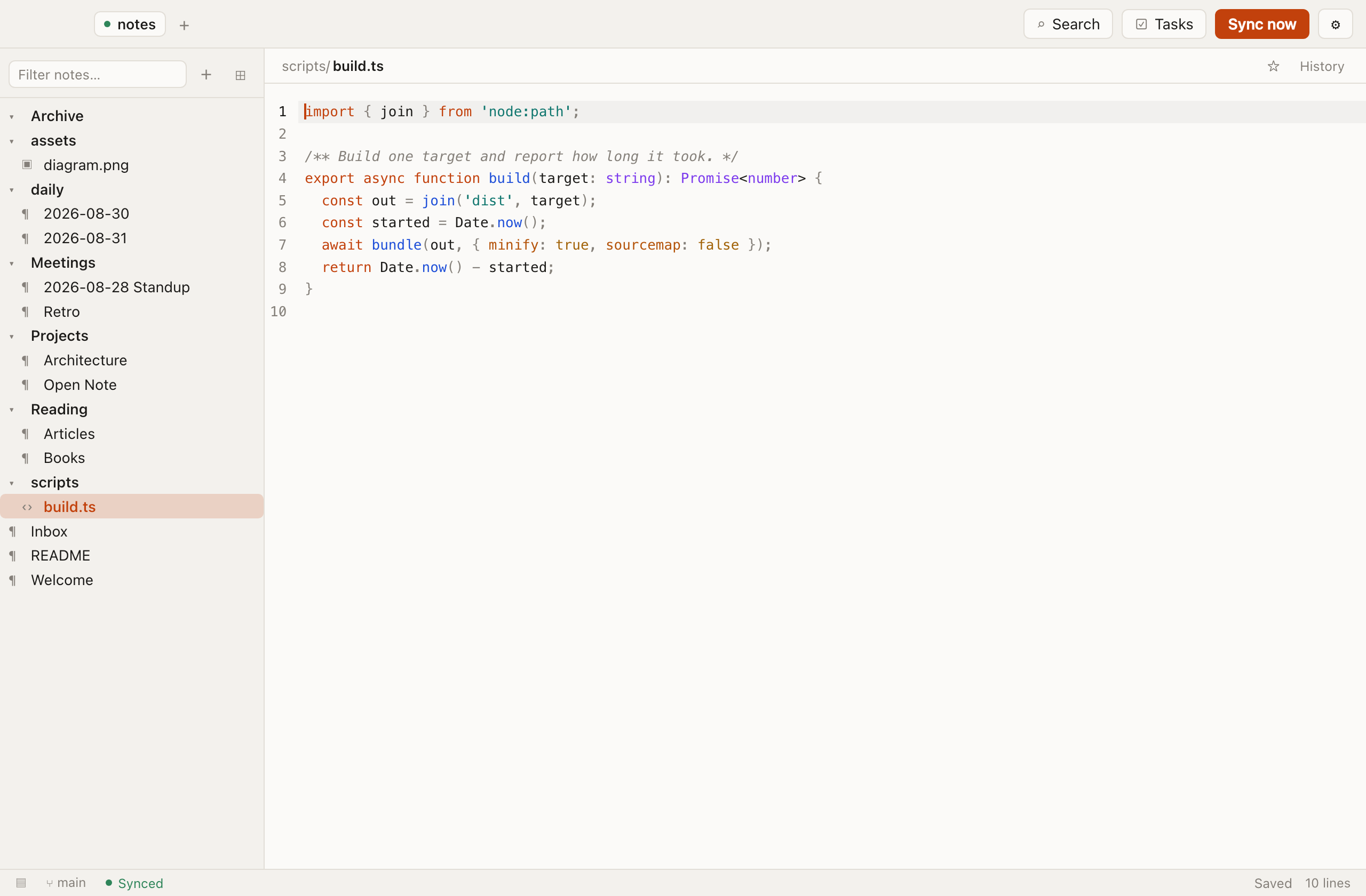
- Text files open properly. A
.txt, aconfig.json, a shell script — all editable, with line numbers and syntax highlighting for around 150 languages. - Images get a preview. Binaries are listed but never opened.
- Multiple vaults open at once, each with its own sync state, settings and branch.
- Export a note as a self-contained HTML page, images inlined.
- Every shortcut is rebindable, with an alternative preset. The keymap lives in the vault, so it travels between machines.
Where things are kept
Per-vault settings and your keymap live in .opennote/ inside the repository, so they travel with the vault between machines. Both are hand-editable JSON, and a broken field falls back to its default rather than taking the app down with it.
Machine-local state — which vaults you have opened recently — stays in your OS config directory and is never committed.
Try it against a repository you already have.
Nothing to sign up for, and nothing to migrate.